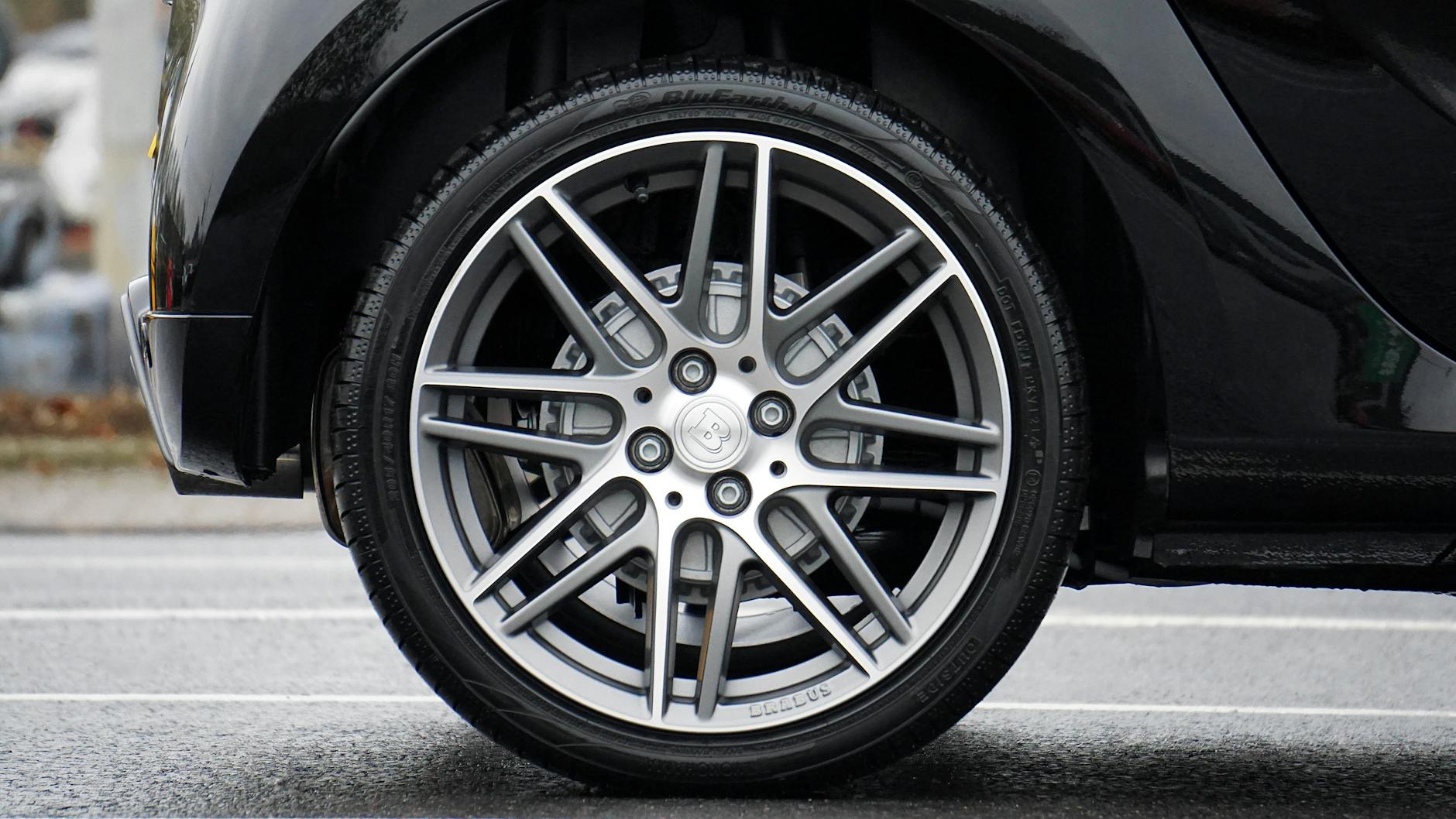
Custom Wheels Visualizer: How to See Before You Buy

Buying wheels without seeing them on your actual car first is a gamble most people have lost at least once. You find a design you love, the specs look right, you pull the trigger — and when they show up, something is off. The finish looks different in person. The spoke pattern drowns under the fender. The fitment pushes the wheel too far inboard and kills the stance entirely. A custom wheels visualizer exists to solve that problem, and when it's built well, it genuinely does.
This guide covers how these tools work, what separates a useful one from a gimmick, and how to use visualization as part of a smarter buying process — not a substitute for getting the actual specs right.
What a Custom Wheels Visualizer Actually Does
At its core, a wheels visualizer renders a wheel design onto a photo or 3D model of your car so you can see the combination before any money changes hands. The best ones let you adjust finish, size, and offset in real time. The basic ones just swap a static wheel image onto a stock car photo.
There are three main types in use:
Photo-overlay tools place a wheel image over a side-profile photo of your car. Fast, accessible, not very precise. You can get a rough sense of spoke style and finish, but the perspective is fixed and the fitment data is approximate at best. Most manufacturer websites that offer a "try it on your car" feature are operating in this tier — useful for ruling out designs that are clearly wrong, less useful for making a confident final call.
3D configurators render a wheel model onto a 3D car model in real time. These are far more useful — you can rotate, change the viewing angle, swap finishes, and often adjust diameter and width. The limitation is that the car models are generic, so an F30 335i in the configurator might not match the exact ride height or body kit on yours. That said, 3D configurators are where most serious wheel brands invest, because the interactive nature of the tool dramatically reduces buyer uncertainty. Being able to spin a wheel in three dimensions and watch how the spoke depth changes character from different angles is something a flat side-profile overlay simply can't replicate.
AI photo tools are newer and let you upload a photo of your actual car. The software drops the wheel into your image. Results vary a lot depending on image quality and the sophistication of the algorithm, but this category is improving fast and is arguably the most useful for making a final decision. The better implementations handle shadow casting and perspective matching automatically, so the rendered wheel doesn't look obviously pasted on. A straight, well-lit three-quarter shot of your car at consistent height will always produce more useful output than a phone photo taken in a dark garage at an angle — the algorithm has more to work with, and the result reflects your actual car rather than a stand-in.
Why Visualization Matters More for Custom Wheels
With a catalog wheel from a major retailer, you can look up hundreds of real-world photos from other owners running that exact setup on your platform. That social proof and photo library doesn't exist for custom or bespoke designs. If you're ordering a one-off forged wheel with a specific spoke pattern, a custom finish, and a non-catalog offset, there may not be a single reference photo anywhere on the internet. The visualizer fills that gap.
This is especially true for finish decisions. The difference between a brushed clear coat and a brushed tinted clear is subtle in swatch form but significant on a 20-inch wheel under sunlight. A good visualizer will render both so you can make the call with confidence instead of hoping. Similarly, the difference between a candy apple red barrel with a polished face and a matte red barrel with a machined face reads as almost interchangeable in a small swatch but reads as a completely different wheel at full scale in natural light.
Spoke geometry is the other big variable. A 10-spoke design looks very different on a wide-body Mustang GT versus a stock-fender Model 3. Wheel diameter changes how much of the spoke is actually visible through the fender opening. A deep concave profile on a wheel that's sitting at stock offset will look nothing like the same wheel at a more aggressive fitment. If you're serious about custom offset wheels, seeing that geometry rendered before you commit is worth a lot.
Color-matched designs add another layer of complexity that visualization handles especially well. If you're chasing a two-tone combination — say, a gloss body-color spoke with a contrast machined lip — you need to see it rendered against the actual car color to judge whether the tones complement each other or fight. Swatch comparisons on a screen against a white background are genuinely misleading for this type of decision.
What Visualizers Can't Tell You
This is the part most visualizer marketing glosses over, so let's be direct about it.
They don't confirm fitment. A wheel that looks flush and aggressive in a renderer might be 5mm too wide to clear your caliper, or the offset might tuck the wheel behind the fender lip instead of filling the arch. Visualization is aesthetic. Fitment is math. You need both, and you need to do the math separately. The visualizer can show you that a certain fitment looks aggressive; it cannot tell you whether that fitment physically works on your specific car with your specific brake package.
Generic car models miss your actual modifications. If you're running coilovers, a widebody, or aftermarket calipers, the visualizer doesn't know that. The generic F30 in a configurator sits at stock ride height with stock brakes. Your car doesn't. A car on coilovers at a 30mm drop will fill a given wheel size very differently than the same car at stock height, and no visualizer currently on the market accounts for that dynamically — you have to mentally translate what you see.
Finish rendering is approximate. Gloss black in a renderer tends to look more mirror-like than it is in practice. Satin and matte finishes are tricky to render accurately because real-world matte has a texture that affects how light scatters across the surface, and most renderers substitute a uniform low-gloss approximation instead. Machined faces and two-tone combinations are better represented, but still not exact. Candy and chrome finishes are notoriously hard to render convincingly. Use the visualizer as directional, not definitive — especially for finishes at the extremes of the gloss spectrum.
They can't simulate weight or feel. Obvious, but worth saying. A cast wheel and a flow forged wheel can look identical in a visualizer and perform completely differently on the road. Unsprung weight reduction, rotational inertia, and the tactile difference of a stiffer wheel under hard cornering are real factors that exist entirely outside what any visualization tool can communicate.
How to Use a Wheels Visualizer Effectively
Start with the correct diameter and width for your platform. Don't visualize a 19x8.5 if your car runs 20x9 — you'll make aesthetic decisions based on the wrong proportions. If you're not sure what sizes work for your car, nail that down first. Spending twenty minutes choosing between spoke patterns on the wrong diameter is time you can't get back.
Once the size is right, work through finishes systematically. Start with the extreme ends — full gloss black versus polished silver — to understand the spectrum, then work inward to what actually interests you. Most people find their preference narrows quickly once they see both ends rendered on their actual car style. A finish that looked appealing in isolation often reads as too aggressive or too understated once it's on the car, and the visualizer surfaces that mismatch early.
Pay attention to how the spoke design reads at scale. Fine multi-spoke designs (think 12+ spokes) tend to look busier on smaller diameters and cleaner on 20-inch and up. At 18 inches, a 15-spoke mesh design can blur into an undifferentiated dark mass from any distance, whereas at 21 inches the individual spokes remain legible. Simpler 5- or 6-spoke designs have more visual presence per spoke, so they work across a wider size range. A concave vs flat face comparison is worth running in the visualizer too — the depth of the face changes the entire character of the wheel. A flat face looks purposeful and understated; a deep concave makes the same spoke design look dramatically more aggressive because the barrel becomes a visual element in its own right.
If the tool allows offset adjustment, use it. Even a 15mm swing in offset changes how aggressive a wheel looks from the front of the car. High positive offset tucks the wheel inward; lower or negative offset pushes it out toward the fender lip. What looks best aesthetically in the visualizer still needs to be cross-referenced against your actual clearance specs before you order — but at least you'll know which direction you're trying to push the fitment and why.
Don't evaluate wheels in a single session. Pull up your shortlist, export the highest-resolution images the tool offers, and compare them at different times of day, in different lighting conditions on your screen. What reads well in a bright office environment often looks different at night on a phone screen — and that second look regularly changes conclusions.
The Right Way to Combine Visualization with Custom Ordering
At ForgedToFit, the process works like this: you browse existing designs or upload your own concept, we quote it, then we produce a 3D CAD rendering before any metal is touched. That CAD rendering is essentially the highest-fidelity version of a custom wheels visualizer — a dimensionally accurate model of your exact wheel, not a generic approximation. The spoke geometry, barrel wall thickness, face depth, and lip profile are all drawn to spec. What you're approving at that stage is not an impression of the wheel; it's the wheel.
The CAD step is where you catch anything the visualizer missed. If the spoke profile isn't quite right, or you want the barrel lip slightly wider, that's the moment to make changes — not after manufacturing. For custom forged wheels, this sign-off step is standard practice with any serious manufacturer, and it's one of the reasons bespoke forged wheels have historically justified their price premium. The design iteration happens in software, where changes cost nothing, rather than in metal, where they cost everything.
For customers ordering custom alloy wheels through us, the visualizer serves as the starting point for the conversation — a way to communicate aesthetic intent before we translate it into precise geometry. Upload a reference image, annotate what you like or want changed, and we work from there. It's faster than trying to describe spoke curvature in words. "I want something between a Y-spoke and a split-spoke, with about 30mm of concavity" is a description that means different things to different people. A marked-up image means the same thing to everyone.
Specific Platform Examples
A few concrete cases to show how visualizer use plays out in practice:
BMW F30 335i: Most owners are running 18x8.5 or 19x8.5 front, with the rear stepped up to 19x9 or 19x9.5 on staggered setups. At these sizes, a 5-spoke concave design shows well through the stock fender arch. In the visualizer, running a high-gloss black finish will immediately show whether the spoke faces get lost against the shadow of the wheel well — which they often do on darker cars. A machined face or two-tone finish solves that and reads better in the tool. The F30's kidney grille and double-bubble roofline create strong horizontal lines, which means vertically oriented spoke designs tend to create better visual balance than designs with strong lateral geometry.
Ford Mustang GT (S550): The wide rear fender arch is forgiving of aggressive sizing. A 20x10.5 rear with a lower offset is common, and in a visualizer that extra width makes a big difference to the visual mass of the rear quarter. Staggered setups on the Mustang also warrant checking separately — front and rear wheels in the visualizer, not just the rears, because the size jump is significant enough to affect how the car reads as a whole. The Mustang's long hood and short deck proportion is flattered by wheels with significant visual mass; small, intricate designs tend to disappear under the body. A 10-spoke design that reads cleanly from thirty feet away will serve an S550 better than a 20-spoke mesh that only resolves at close range.
Tesla Model 3: The flush factory look is actually hard to beat, but the 18-inch aero wheel is a polarizing design. Most owners looking at aftermarket want something with visual spoke definition at 18 or 19 inches. Because the Model 3's wheel well fills relatively well at stock fitment, the visualizer is useful for confirming that a more open spoke design doesn't make the setup look too sparse. The car's body lines favor cleaner, geometric spoke layouts over high-spoke-count mesh designs. The Model 3's flat body sides also mean that wheel finish contrast matters more than on cars with more aggressive body sculpturing — a polished or machined finish against the monochromatic body reads with a clarity that a more complex design would lose.
Porsche 911 (992): The wide rear haunches and narrow front track of the 911 make staggered fitment not just common but essentially expected. In a visualizer, running the 20-inch front against the 21-inch rear immediately shows why the size gap matters — the rear wheel fills the arch in a way the front simply can't match at equal diameter, and the stagger is part of what makes a well-fitted 911 look right. Centre-lock wheel designs render particularly well on the 992 because the single large nut at the hub reads cleanly against the spoke geometry from any angle.
What Makes a Good Visualizer Tool
The minimum bar is real-time finish switching and accurate diameter/width scaling. Below that, you're really just looking at a static image swap — which is fine for ruling something out but not adequate for making a confident decision.
The better tools also include:
- Multiple viewing angles (front 3/4, rear 3/4, straight-on side, and ideally a front-on shot showing brake caliper clearance depth)
- Adjustable ride height, since most enthusiast cars aren't at stock height
- Background environment options — a wheel looks different in bright sun versus an overcast lot or a garage, and being able to switch environments exposes finish characteristics that a single lighting scenario hides
- Offset or fitment slider, even an approximate one
- High-res export so you can compare multiple configurations side by side without relying on memory
- The ability to toggle between car colorways, because a finish that works on a white car may fight with the same car in dark metallic
If the visualizer you're using doesn't do at least the first two items on that list, treat the output as a rough sketch, not a preview. A single static side-profile image with a swapped wheel tells you almost nothing about how the design will read from the angles you actually see the car from when you walk up to it.
Uploading Your Own Design
Some visualizers — and ForgedToFit's quoting process — let you go further than picking from a catalog. You can upload a sketch, a reference image of a wheel you like, or a design concept, and have it rendered onto your car. This is where the tool transitions from a shopping aid to an actual design collaboration.
For customers who have a specific look in mind but can't find it in any catalog, this workflow is genuinely valuable. Describe the spoke curvature you want, the lip depth, the face profile — deep concave versus shallow, for example — and a proper visualization before CAD means you've approved the aesthetic direction before any engineering work starts. That eliminates the most common source of friction in custom orders, which is a mismatch between what the customer imagined and what the manufacturer understood. Getting that alignment right in a visual medium, before any geometry is committed to a CAD file, compresses the revision cycle and reduces the chance of an expensive misunderstanding late in the process.
The practical workflow is straightforward: pull together three or four reference images — a wheel with the spoke profile you like, a wheel with the face depth you want, a finish sample — and annotate what specifically appeals to you in each. That input is dramatically more useful than a written description, and it gives the design team a clear brief to translate into engineering terms.
Connecting Visualization to the Full Buying Decision
Visualization is one input. The full decision also requires confirming load rating for your vehicle's weight, verifying bolt pattern and hub bore, understanding the manufacturing process behind the wheel — cast vs forged matters for both performance and long-term durability — and knowing what warranty coverage you're getting.
A wheel that looks perfect in the visualizer but is cast from low-grade A356 aluminum with no heat treatment will look great in photos and underperform in practice. Conversely, an impeccably engineered forged monoblock with a mediocre finish that you didn't preview carefully enough will disappoint every time you walk past it in the driveway. Neither failure is satisfying, and both are avoidable.
Use the visualizer to resolve the aesthetic questions so that, by the time you're evaluating manufacturing specs and warranty terms, you're not trying to answer two different kinds of question at once. The visual is the start of the conversation, not the end of it — but it's also the part that's hardest to undo once a decision is made. Get it right in the renderer first, then do the engineering work to make sure what looks right also fits, performs, and lasts.
Frequently asked questions
Can a custom wheels visualizer show me the exact fitment on my car?
No. Visualizers show you aesthetics — how the design, finish, and proportions look. Fitment is a separate calculation involving offset, backspacing, caliper clearance, and fender lip clearance. Always verify those specs independently before ordering, regardless of how good the wheel looks in the renderer.
How accurate are wheel finish renderings in online visualizer tools?
Directionally accurate, but not exact. Gloss finishes tend to render more mirror-like than they appear in real life. Matte and satin are harder to represent accurately on screen. Machined and two-tone finishes usually render better because the contrast is easier to simulate. Use the visualizer to narrow your direction, then ask for physical finish samples if the tool allows it.
Is there a visualizer that works with a photo of my actual car?
Yes — several tools use AI to drop a wheel image into a photo you upload. Quality varies significantly. You'll get the best results with a clean side-profile or 3/4-front photo taken in even lighting, with the wheel area clearly visible. These tools are improving quickly and are currently the most useful type for making a final aesthetic decision.
What size should I use in the visualizer to get an accurate preview?
Use the actual diameter and width you're planning to run. If you're deciding between 19x9 and 20x9, render both — the diameter change affects how much spoke is visible through the fender arch and the overall visual mass of the wheel. Rendering the wrong size and then ordering a different one defeats the purpose of the tool.
How does ForgedToFit use visualization in the custom ordering process?
Customers start by browsing designs or uploading a reference image to communicate their intent. After quoting, we produce a full 3D CAD rendering of your exact wheel before manufacturing begins. You review and approve that rendering — covering spoke geometry, face profile, finish, and dimensions — so there are no surprises when the wheels arrive.
Does wheel face profile — concave versus flat — show up well in visualizers?
It does, but only in tools that render from multiple angles. A flat-face wheel and a deep concave wheel look nearly identical in a straight side-profile view. You need the 3/4-front or front-on angle to see the dish depth. If your visualizer only shows a side profile, switch tools before making a concave depth decision.